Event binding lets you listen for and respond to user actions such as keystrokes, mouse movements, clicks, and touches.
Click Event
HTML
<button (click)="onClick()">Read More</button>
TS
 onClick(){
    console.log('Button was clicked');
  }
Some times we need to get access to the event object that was raised in the event handler. For example with mouse movements, the event object will tell us the x and y position, if you want to get access to that event object, we need to add that as a parameter.
HTML
<button (click)="onClick($event)">Read More</button>
TS
 onClick($event){
    console.log('Button was clicked', $event);
  }
Event filtering
keyUpEvent
<input (keyup)="onKeyUp($event)" />

onKeyUp($event){
    if($event.keyCode === 13) console.log("Enter was pressed")
}
keyUpEvent another method
<input (keyup.enter)="onKeyUp()" />
onKeyUp(){
    console.log("Enter was pressed")
}
Template variables
Console.log the field’s value
<input #email (keyup.enter)="onKeyUp(email.value)" />
onKeyUp(email){
    console.log(email);
}
Get data that typed in a form
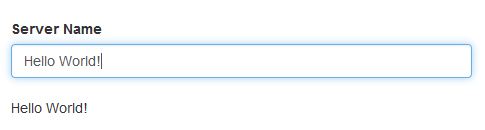
<input
    type="text"
    [(ngModel)]="title"
    class="form-control"/>
<p>{{ title }}</p>
export class AppComponent {
  title: string;
}
src/app/app.component.html
<label>Server Name</label>
<input
    type="text"
    class="form-control"
    (input) = "onUpdateServerName($event)">

<p>{{serverName}}</p>
src/app/app.component.ts
 onUpdateServerName(event: Event){
    this.serverName = (<HTMLInputElement>event.target).value;
  }