Create an empty Git repository or reinitialize an existing one
git init
Start a new Git repository for an existing code base
$ cd /path/to/my/codebase
$ git init      (1)
$ git add .     (2)
$ git commit    (3)
Customizing Git Configuration
$ git config --global user.name "John Doe"
$ git config --global user.email johndoe@example.com
Create an empty file named readme.md
$ touch readme.md
Get the status
$ git status
Add file contents to the index
$ git add readme.md
Record changes to the repository
$ git commit -m
Show commit logs
$ git log
Staging Area
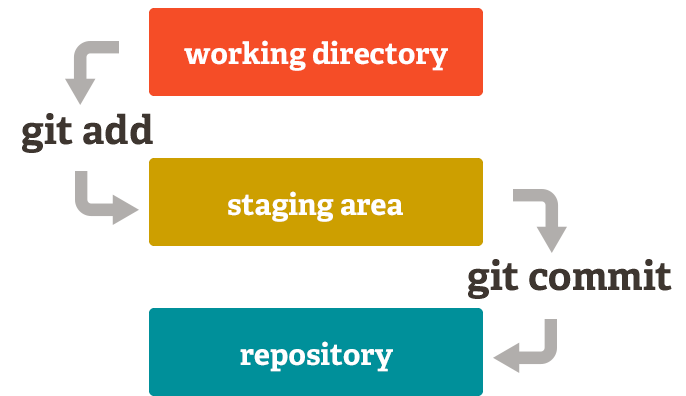
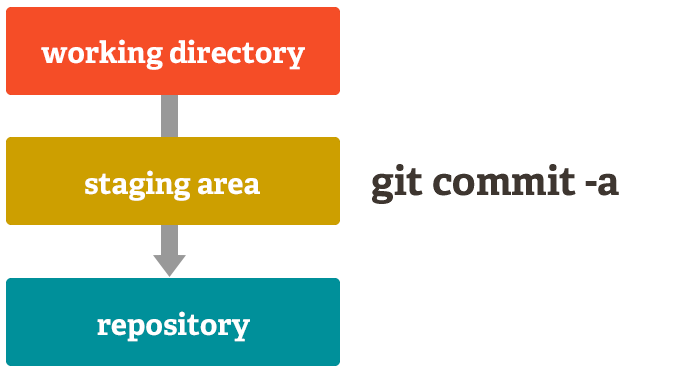
Add a ‘-a’ to your commit command in order to add all changes to all files to the staging area.
$ git commit -a
Modify the readme.md file
$ nano readme.md
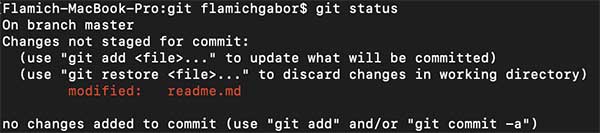
Let’s see the git status
$ git status
Commit all changes to all files to the staging area
$ git commit -a -m "Modified readme.md"

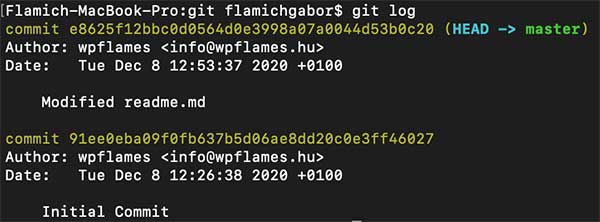
See the changes
$ git log
Switch branches or restore working tree files
If You would like to restore a previous version of the file You have to use the git checkout command. Every commit has a very long ID, but You only need to type the first 7 characters.
