• Skip to main content
  • Skip to primary sidebar

Web Development Archive

  • Archive
You are here: Home / Angular / Call a specific Button Type in another Component

Call a specific Button Type in another Component

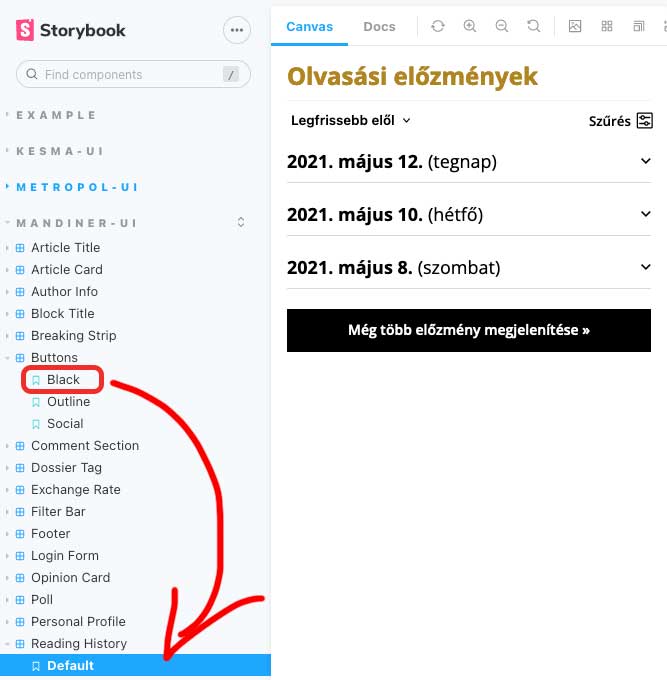
This is the button that we want to call in another component

<ng-container *ngIf="type === buttonType.Black">
    <button class="man-btn-black">{{buttonText}}</button>
</ng-container>
@Input() buttonText?: string;
@Input() type?: ButtonType;
export const Black = Template.bind({});
Black.args = {
  type: ButtonType.Black,
  buttonText: 'Regisztráció'
};

Here we call the button component

<man-buttons [type]="buttonType.Black" [buttonText]="buttonText"></man-buttons>
@Input() buttonText?: string;
export const Default = Template.bind({});
Default.args = {
    buttonText: 'Bejelentkezés'
}

This is the button that we want to call in another component

Here we call the button component

Filed Under: Angular

About Gabor Flamich

I'm a web developer and designer based in Budapest, Hungary. In recent years, I've documented hundreds of solutions I came across during development. This site is an archive for useful code snippets on WordPress, Genesis Framework and WooCommerce. If You have any questions related to WordPress development, get in touch!

Primary Sidebar

  • angular.io
© 2026 WP Flames - All Right Reserved